The safe payment rule
Only send money to a bank account you already have saved, or pay the business directly (garage, hotel, train). Never send money to a new account or a friend’s account.
When Mum gets a text from a “new number”, one tap sends a check to the real Tom’s phone. FamFA also reminds her about her tablets, and tells the family if a dose is missed.
Mum taps “Is it really Tom?” and says what they asked for. Tom’s own phone asks him straight away, he confirms with Face ID or fingerprint, and the answer comes back to Mum in seconds. Try it below.
 Waiting for Tom…We’ve asked Tom on his own phone. Don’t send anything yet.
Beacon lives in the app and reacts to what’s happening, so Mum can tell at a glance whether things are fine or need a second look.
 HappyEverything’s okay.ThinkingJust checking…
 SuspiciousThis might be a scam.
 Medication takenWell done!
 CaringYou’re not alone.
Mum gets a friendly reminder with one big button. If she hasn’t tapped Done within the hour you chose, the family is told, so a missed dose never goes unnoticed.
When someone chooses to share, the family sees them on one simple map. After a worrying call, you can see where Mum is before you ring her back.
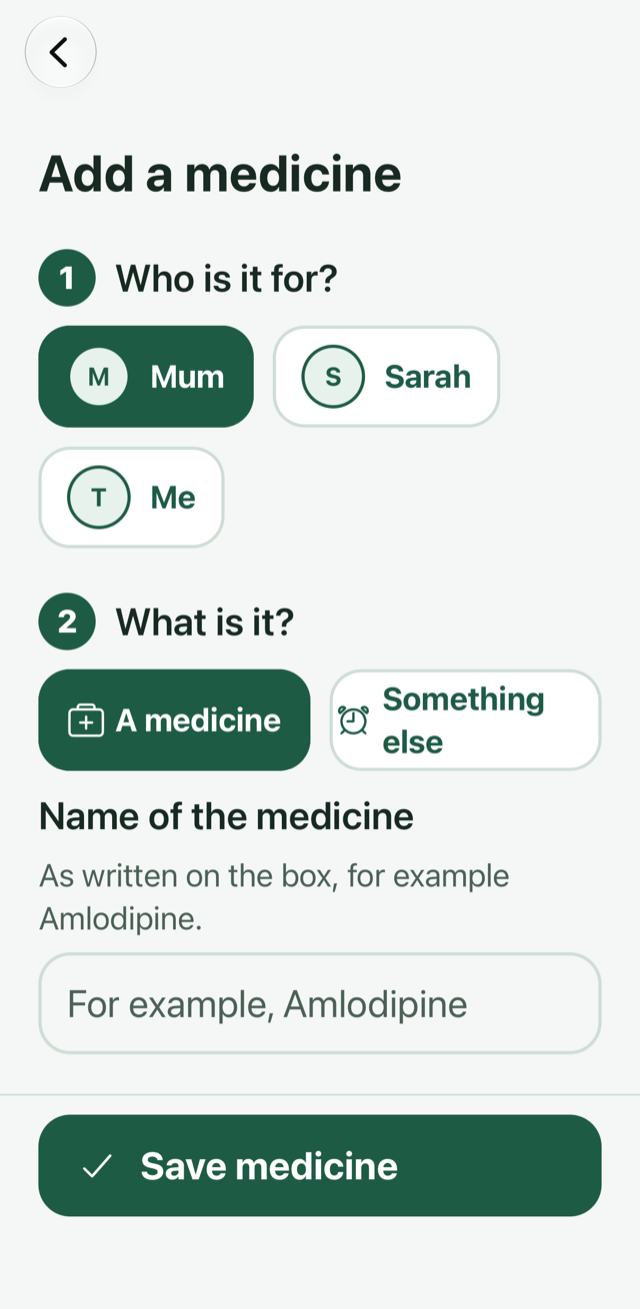
Do it for Mum from your own phone. Plain questions, big choices, and a summary to check before you save.
Choose who it’s for, then type the medicine.
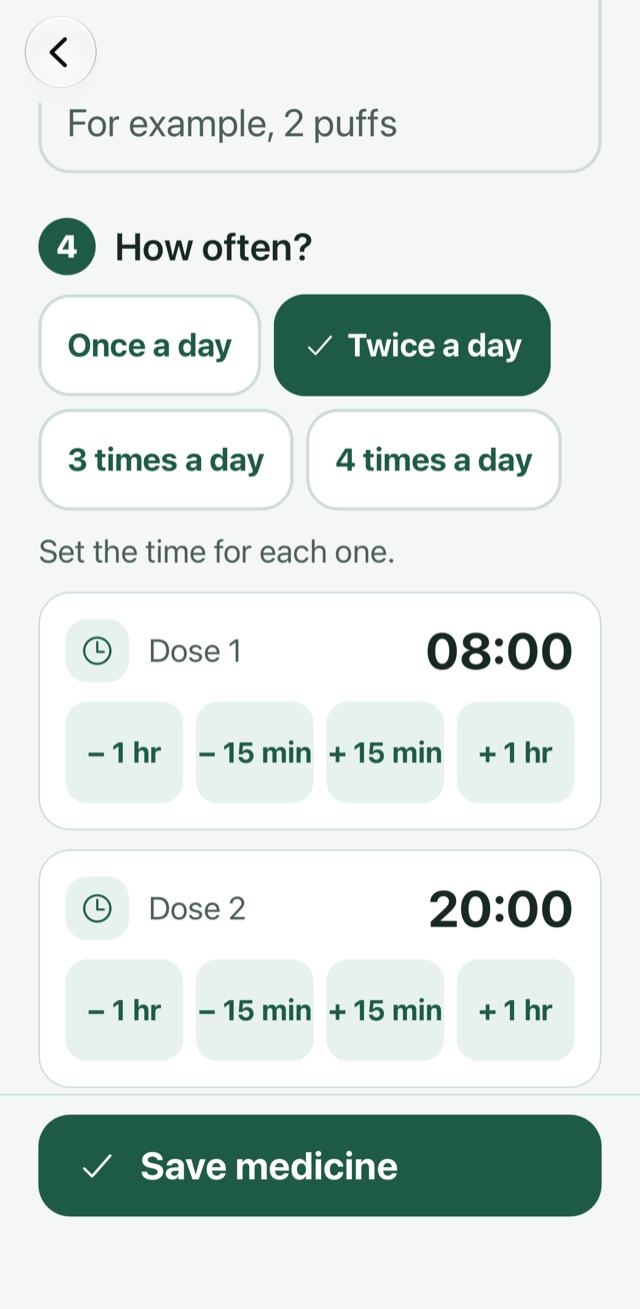
Once, twice or more a day, at the times that suit.
Choose when the family is told about a missed dose.
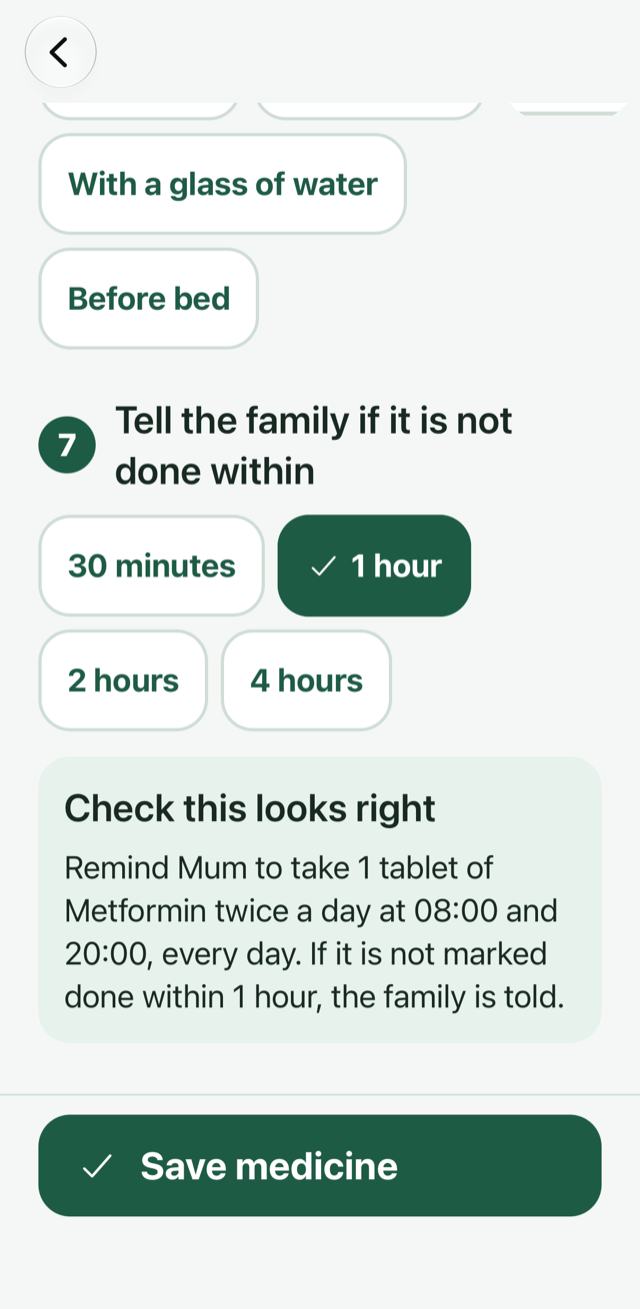
Remind Mum to take 1 tablet of Metformin twice a day at 08:00 and 20:00, every day. If it is not marked done within 1 hour, the family is told.
Everyone picks a side when they first open FamFA, and gets a home screen made for them.
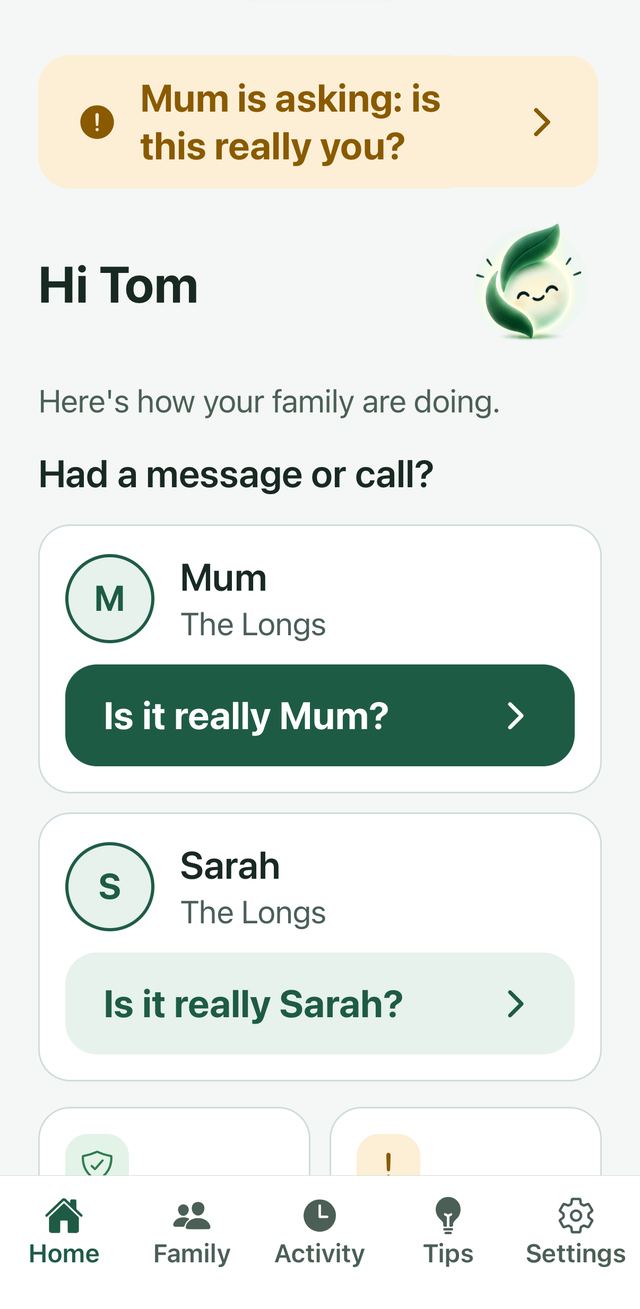
FamFA comes with a short set of tips in plain words. These are the two that matter most.
Only send money to a bank account you already have saved, or pay the business directly (garage, hotel, train). Never send money to a new account or a friend’s account.
No. Her screen shows only what she needs today: her tablets with a big Done button, and an “Is it really…?” button for each person. You set up the rest from your phone.
They choose what was asked for (money, bank details, a code, or just checking) and can add a note. Tom gets a notification on his own phone and answers yes or no. The check is saved in Activity so the family can see it.
Beacon is FamFA’s friendly guide. It appears around the app and changes expression to show whether things look fine, are being checked, or need your attention.
Then don’t send anything. Real family can wait while you check. Scammers are the ones who say it has to happen right now.
No. Each person chooses whether to share. Until someone taps “Share my location too”, the map stays empty.
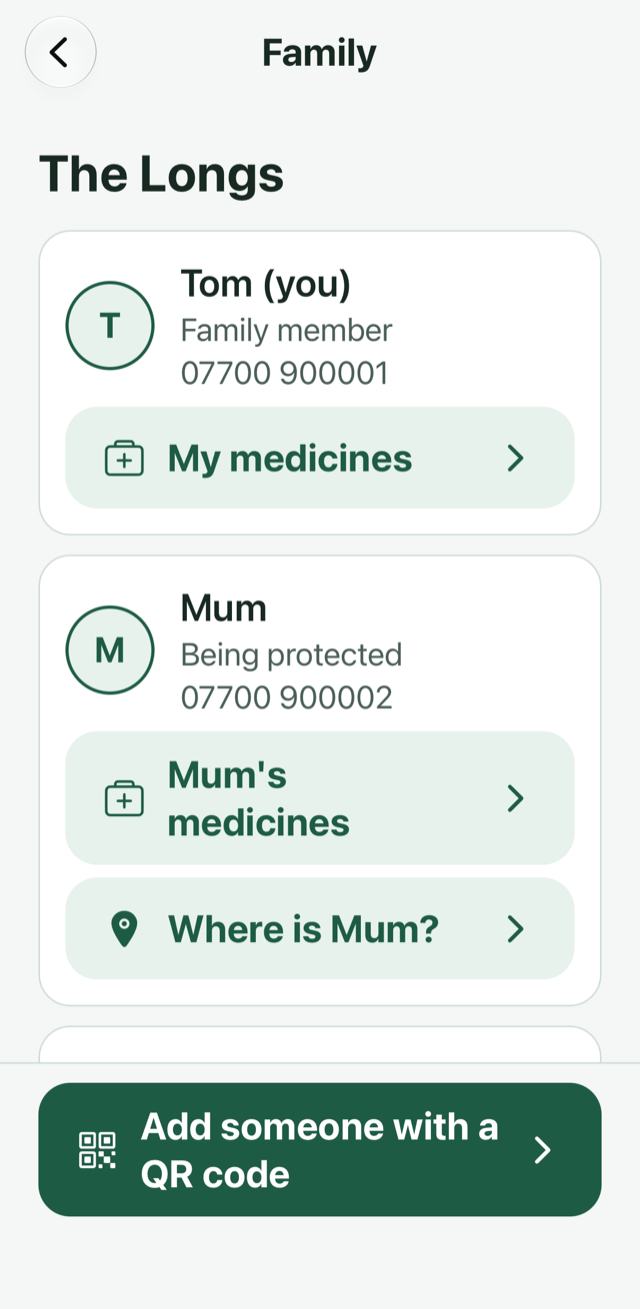
Open Family and tap “Add someone with a QR code”. They scan it on their phone and join your family group.
Look out for each other ♡
FamFA is nearly ready. Join the waitlist and we’ll email you when you can set it up with your family. It takes a few minutes and one QR code.